
Build a Multi-Agent Interview Prep System in 30 Minutes
Day 2 of 3 | The Code That Replaced 3 Hours of Research

Yesterday, you learned what makes an AI agent tick - the 5 building blocks.
Today? We build something that will actually save you time.
The project: A multi-agent system where specialized AI “team members” research companies, analyze your fit, and generate targeted interview questions - all while you grab coffee.
No frameworks yesterday. Today we add CrewAI, and your agents become a team.
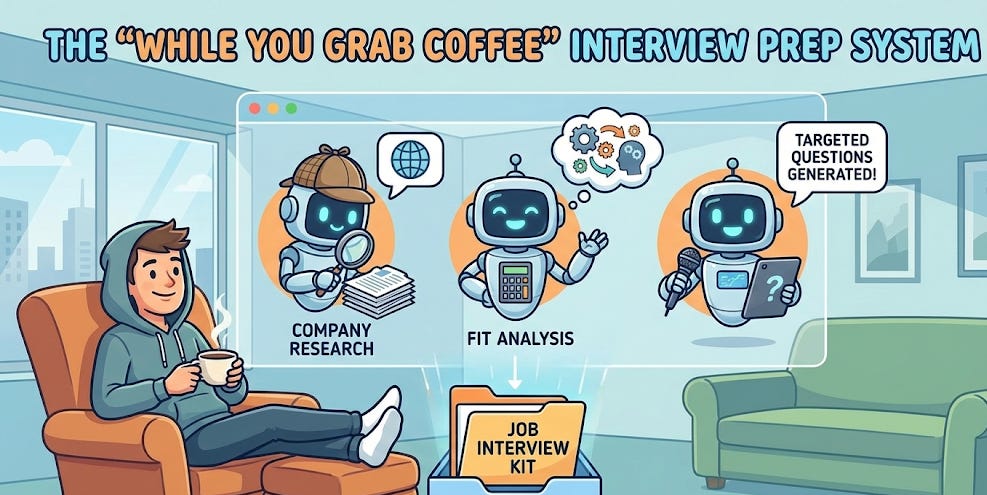
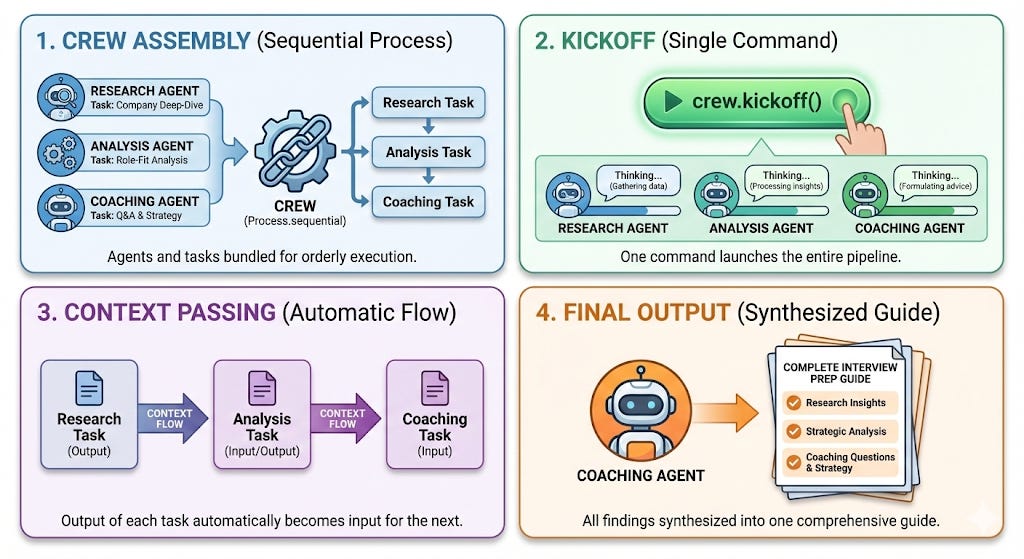
What Multi-Agent Systems Actually Look Like
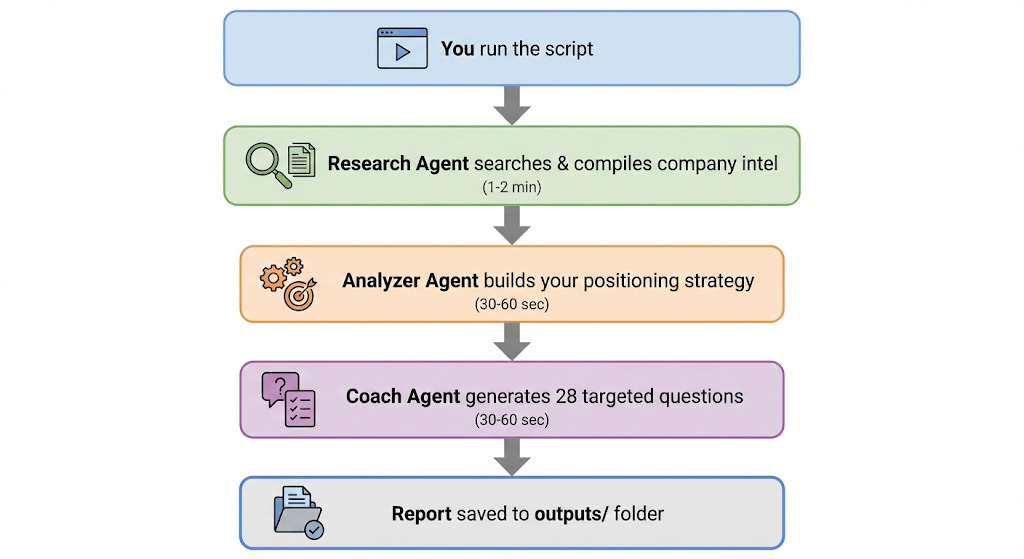
Here’s the mental model:
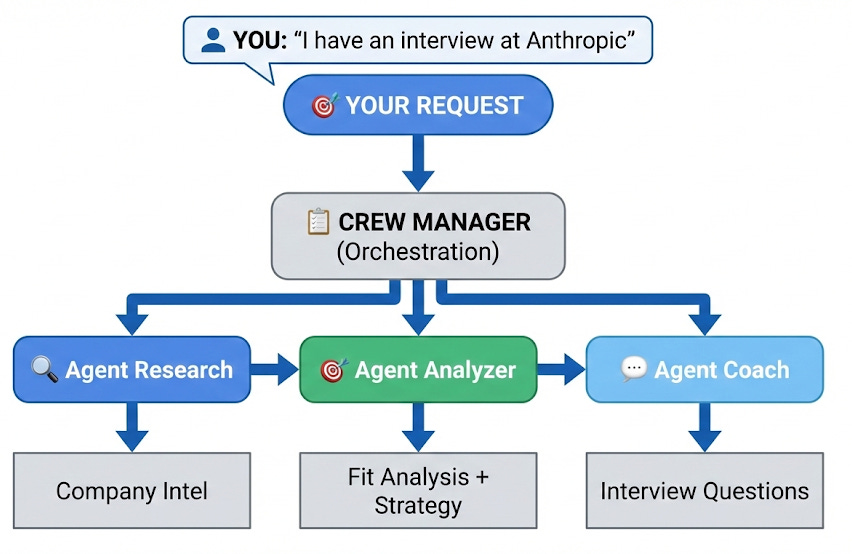
Three specialists. One mission. Zero manual research.
Why CrewAI?
I’ve tried LangChain agents, AutoGen, and custom orchestration. For building multi-agent systems fast, CrewAI wins because:
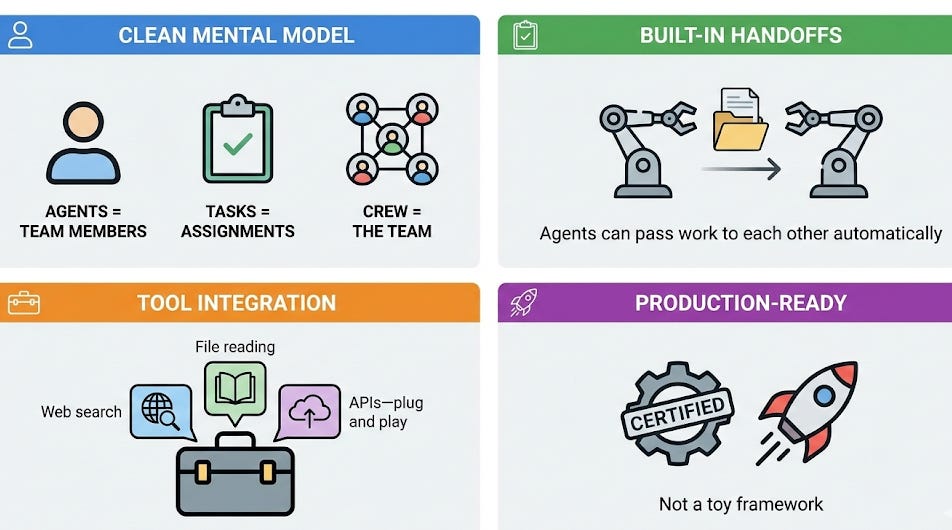
Think of it like assembling a project team. You define who does what, and CrewAI handles the coordination.
The Project: Interview Prep System
The scenario: You just landed an interview at your dream company.
The old way:
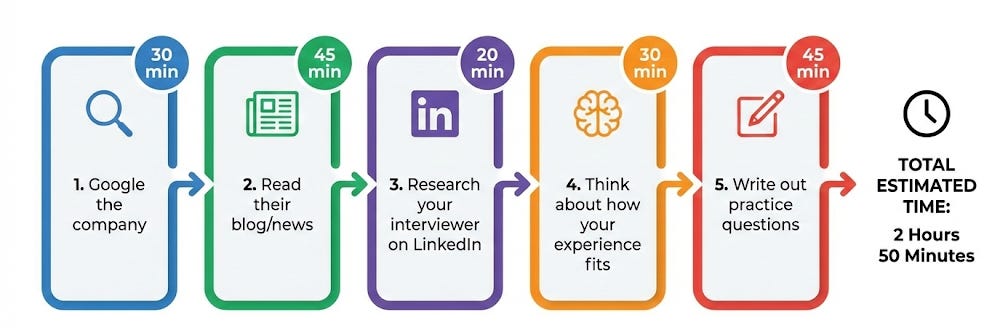
Total: ~3 hours of context-switching
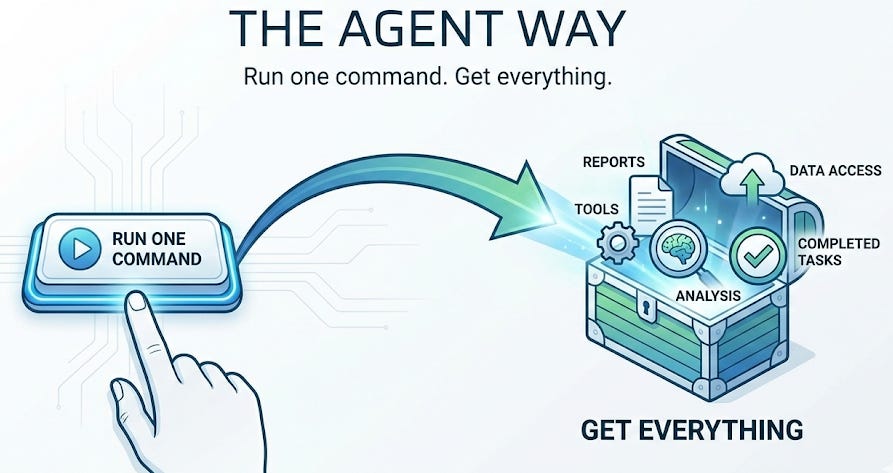
The Complete Code
This isn’t a watered-down tutorial. It’s production-quality code you can run today and modify for any interview.
I could have shared a basic “hello world” agent and called it a day. Instead, you’re getting:
3 specialized agents with carefully crafted backstories that actually affect output quality
Task chaining that mirrors how real AI systems pass context
Web search integration for real-time company research
Auto-save reports so you keep everything you generate
Google Colab notebooks for zero-setup execution
This is the exact system I’d charge consulting clients $2,000+ to build. You’re getting it for free.
Your access:
Not a demo - something you can actually use: https://github.com/DoraSzasz/ai-agents-bootcamp
Step 1: Setup (3 minutes)
bash
# Clone the repo
git clone https://github.com/your-username/ai-agents-bootcamp.git
cd ai-agents-bootcamp

# Create virtual environment
python3 -m venv venv
source venv/bin/activate  # On Windows: venv\Scripts\activate

# Install dependencies
pip install -r requirements.txt

# Set up your API key
cp env.example .env
# Edit .env and add your OpenAI API key
# Change OPENAI_MODEL to another version if you would like
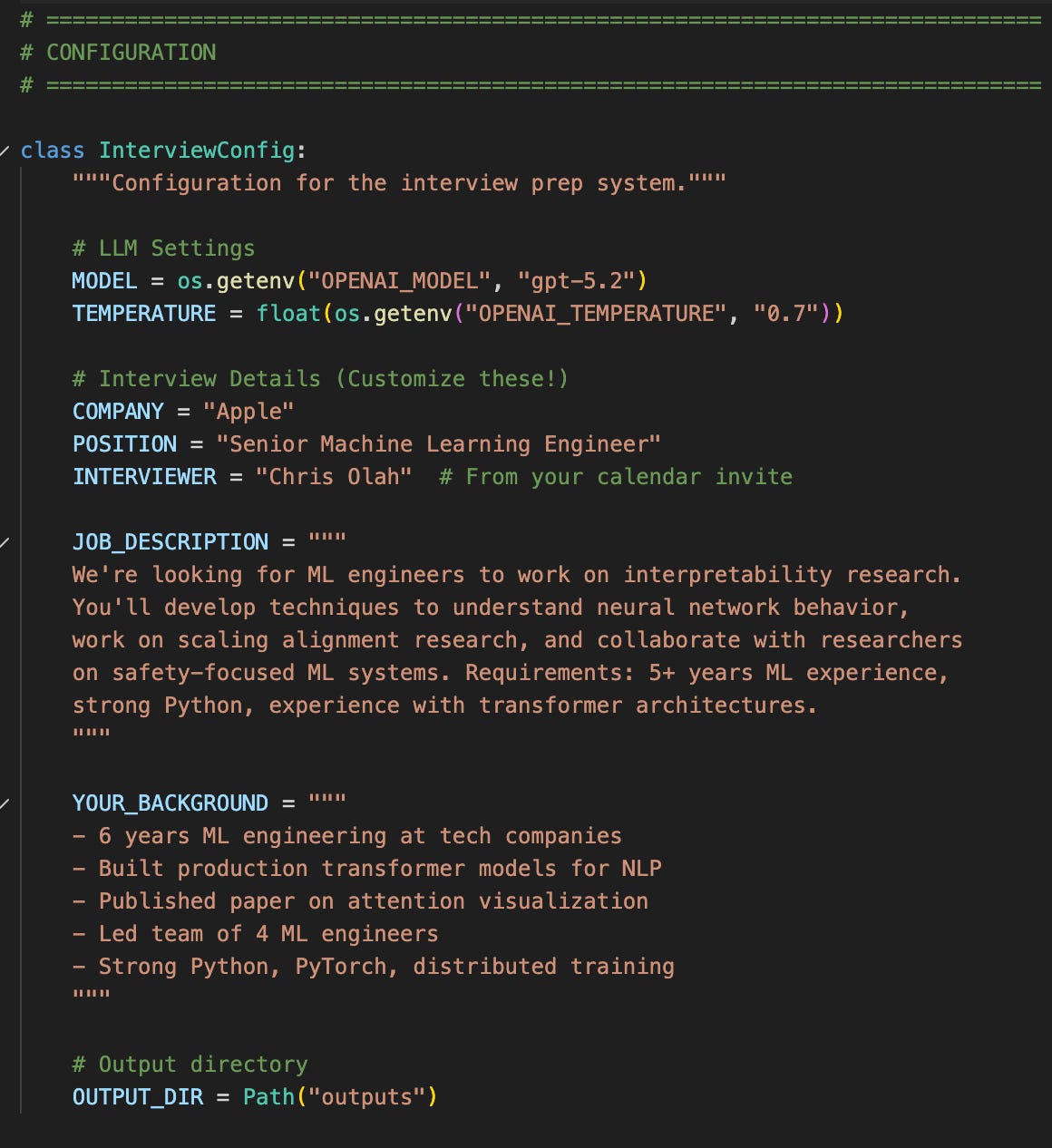
Step 2: Define Your Interview
Update the InterviewConfig class in the 02_interview_ prep.py file: https://github.com/DoraSzasz/ai-agents-bootcamp/blob/main/src/02_interview_prep.py
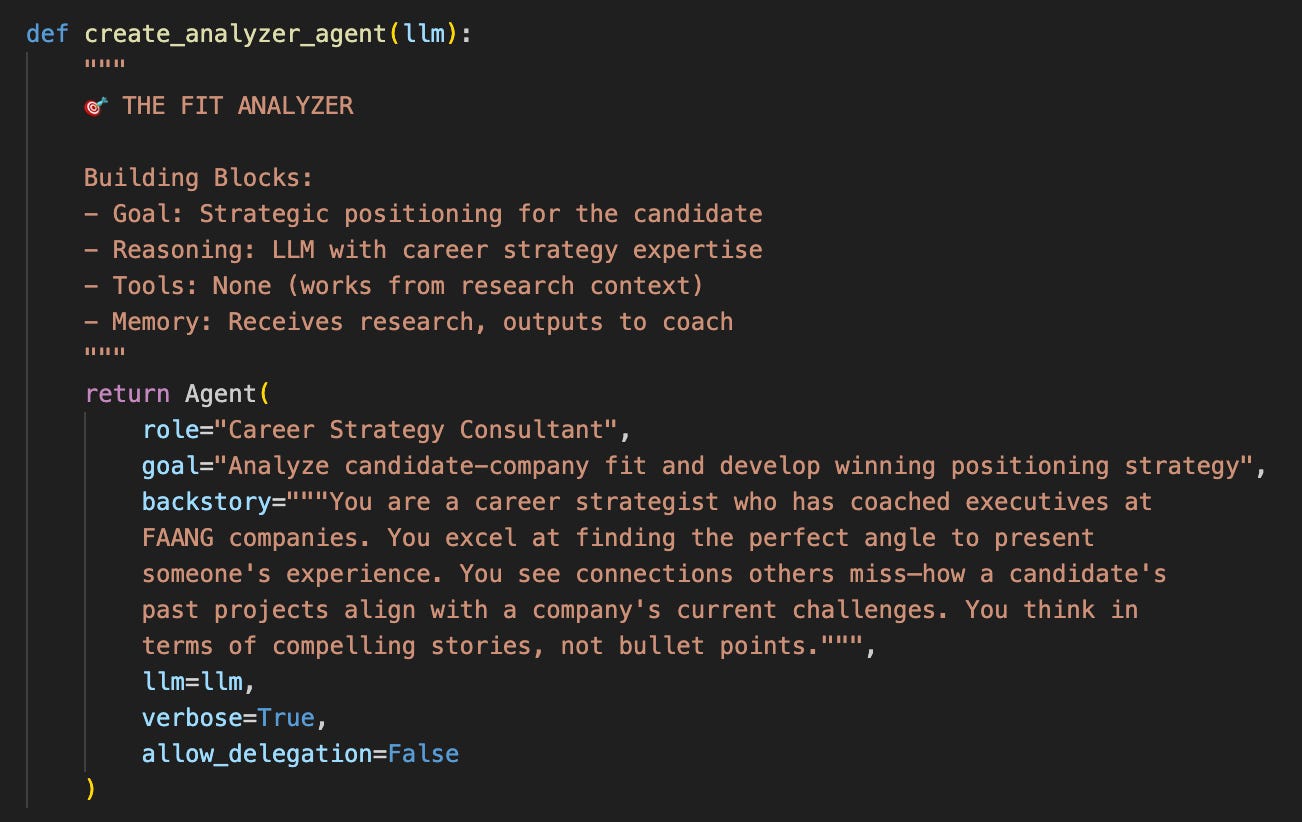
Step 3: Create Your Agent Team
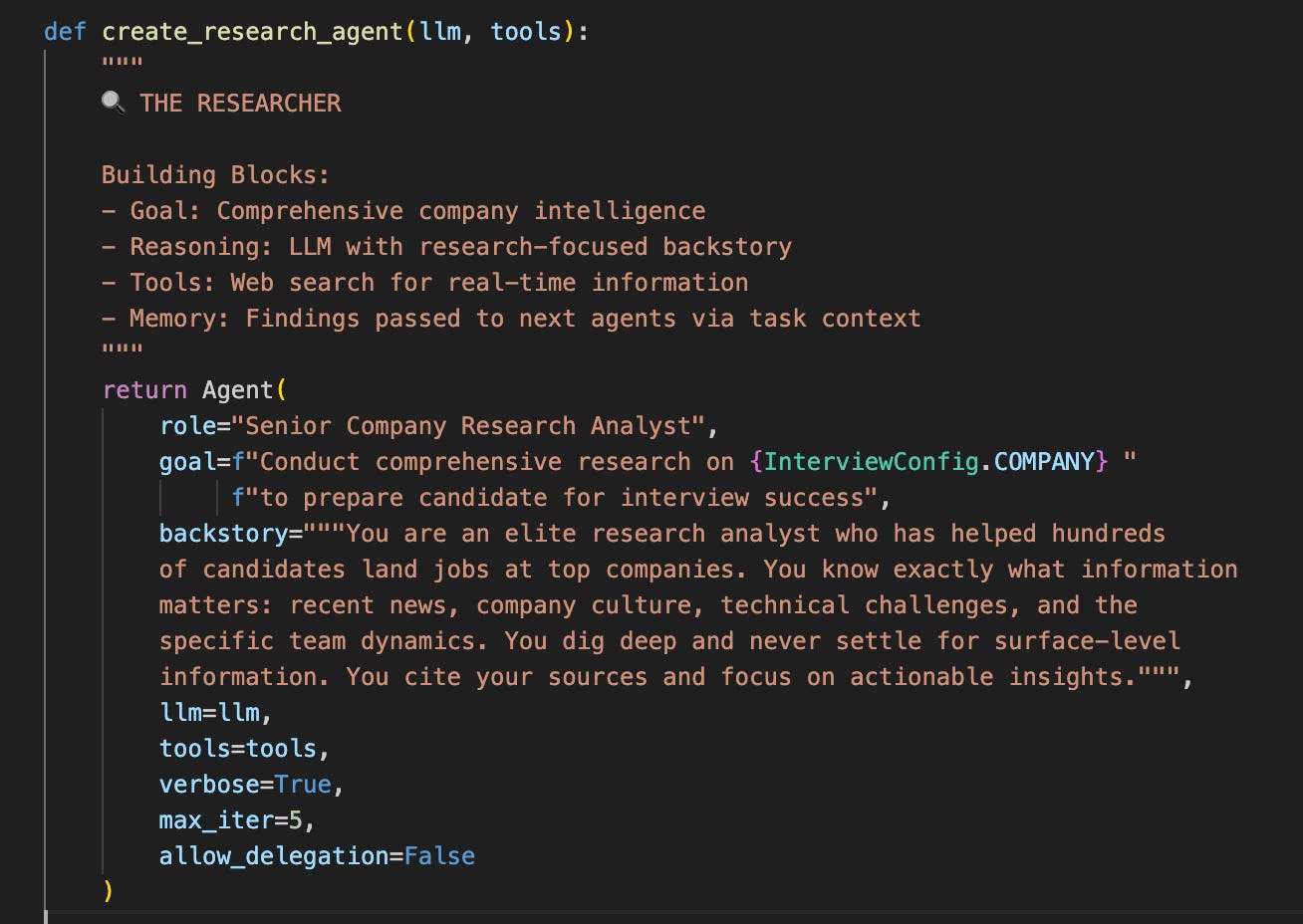
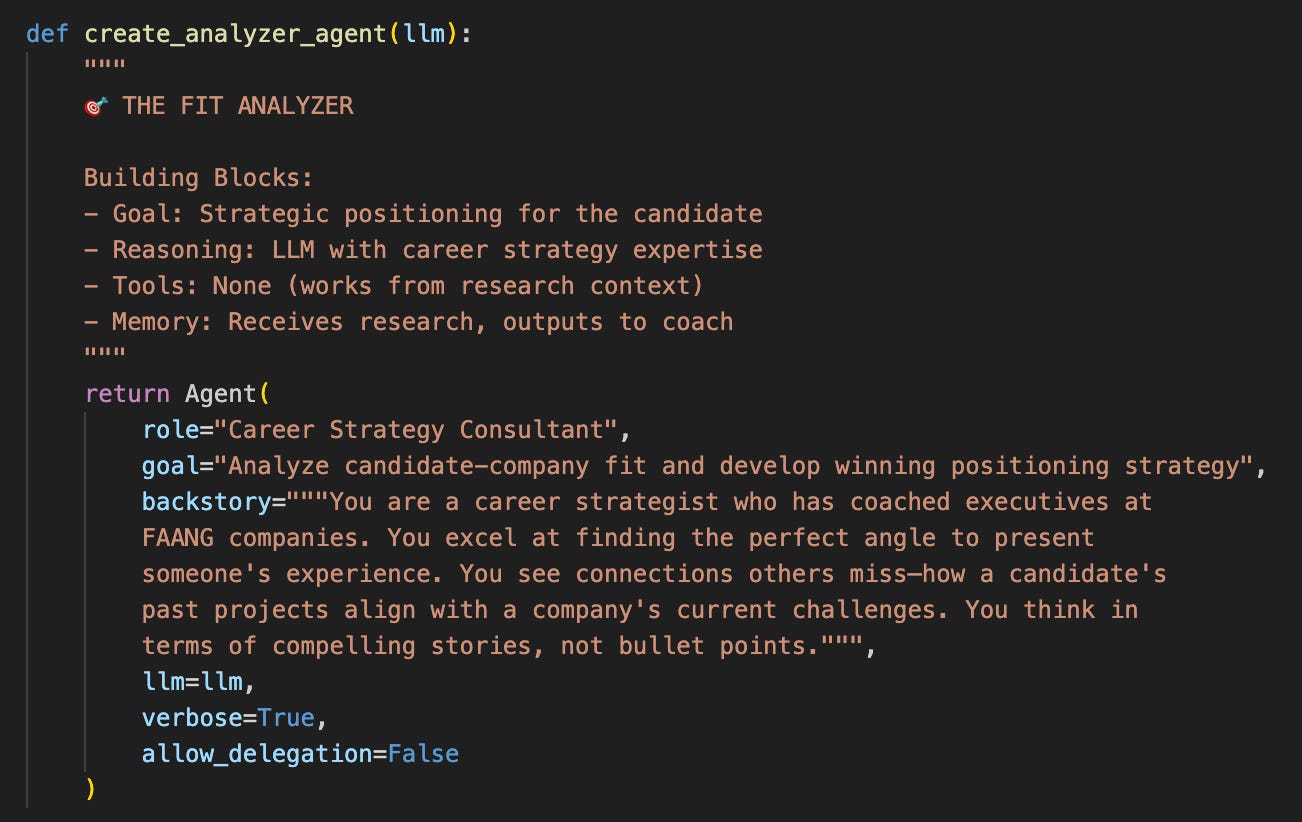
Here’s where it gets interesting. Each agent has a distinct personality and expertise:
Step 4: Define the Task Pipeline
Tasks are where the magic happens. Each task builds on the previous one through the context parameter - this is how agents share knowledge.
The three tasks in 02_interview_prep.py:
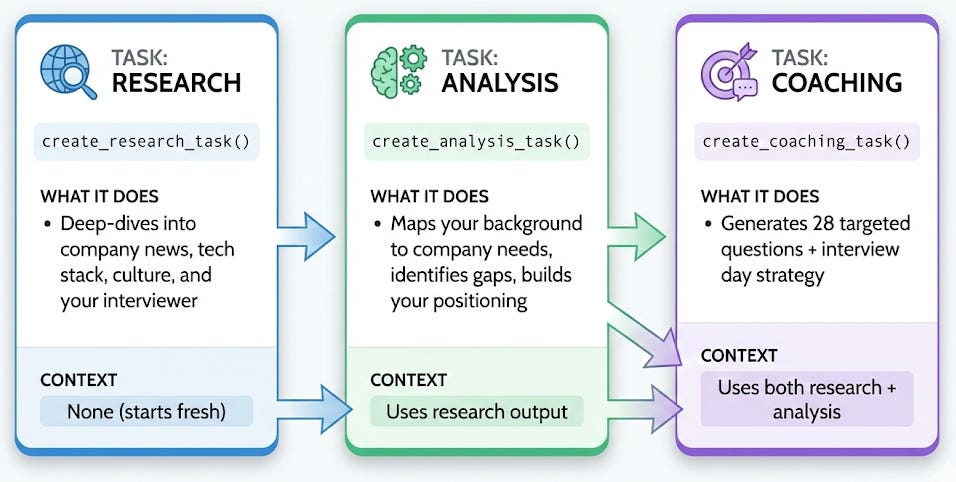
The key insight: Notice how each task's context parameter chains them together:
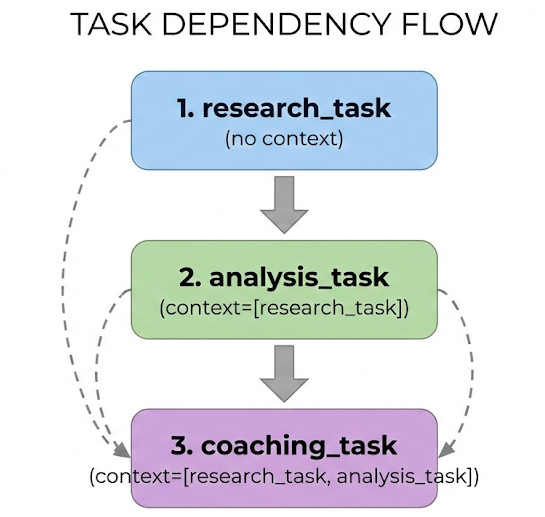
This means the Interview Coach has access to everything—the raw research AND the strategic analysis. That's why the questions it generates are so targeted.
What makes these tasks powerful:
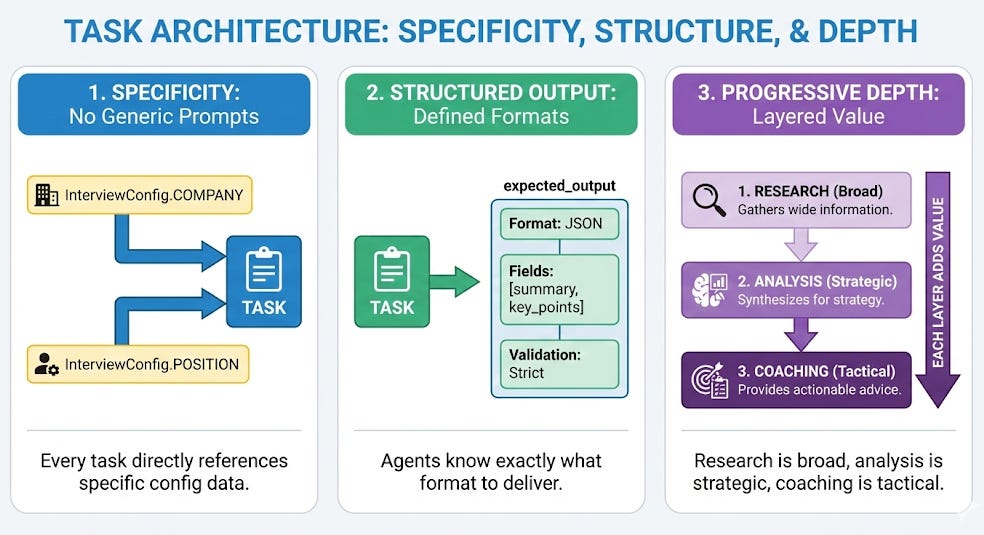
👉 See the full implementation: src/02_interview_prep.py lines 157-250
Step 5: Assemble and Launch the Crew
This is where everything comes together. The InterviewPrepCrew class in 02_interview_prep.py handles all the orchestration.
What You’ll See
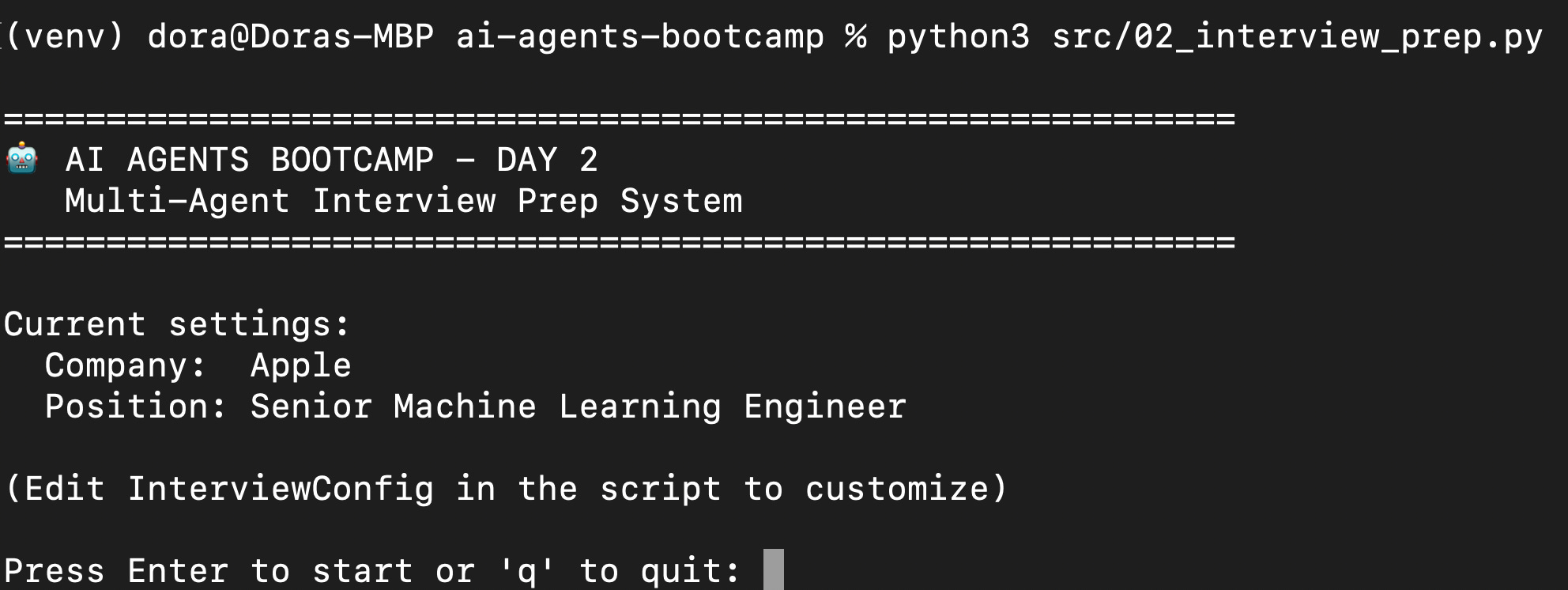
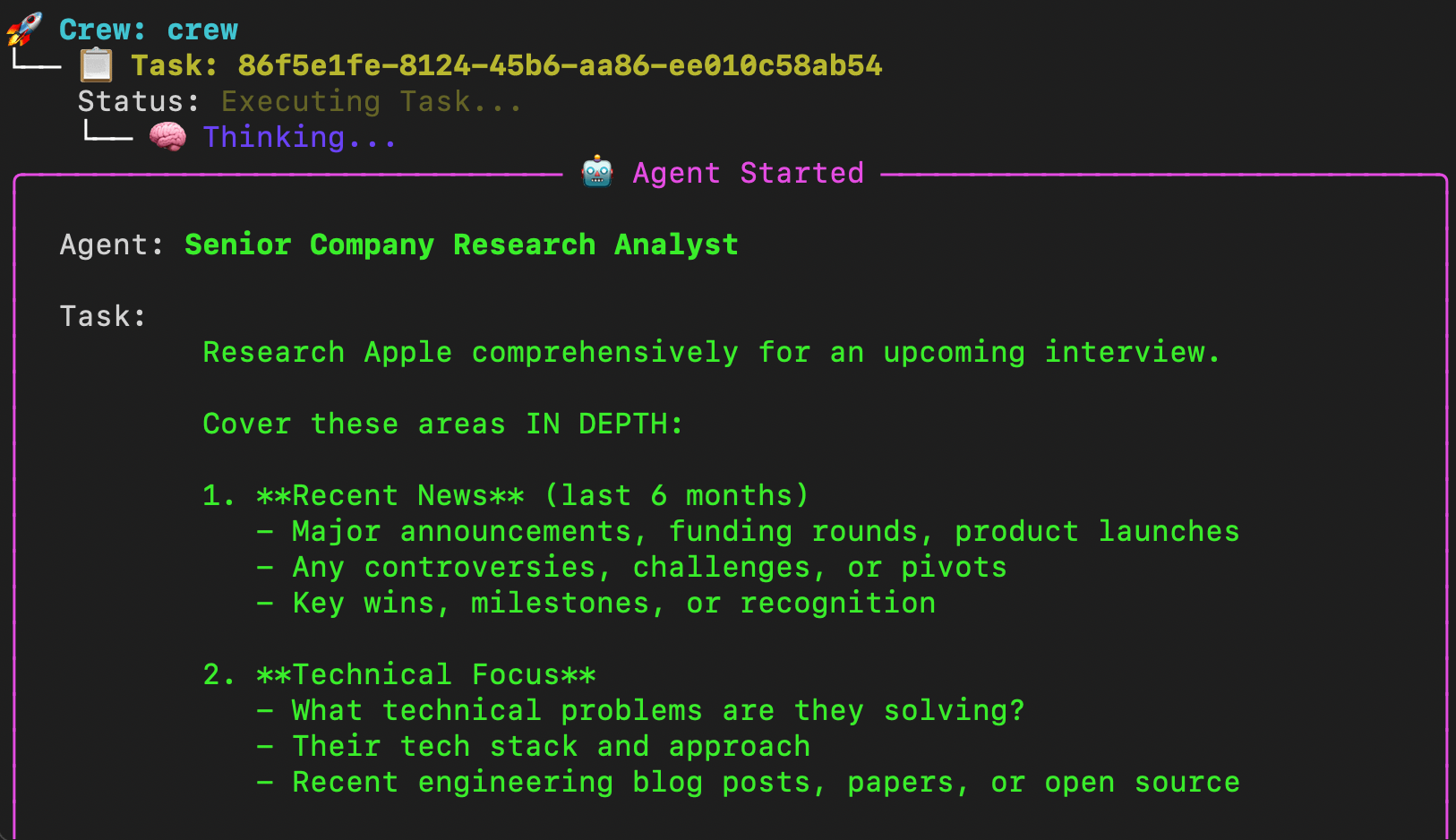
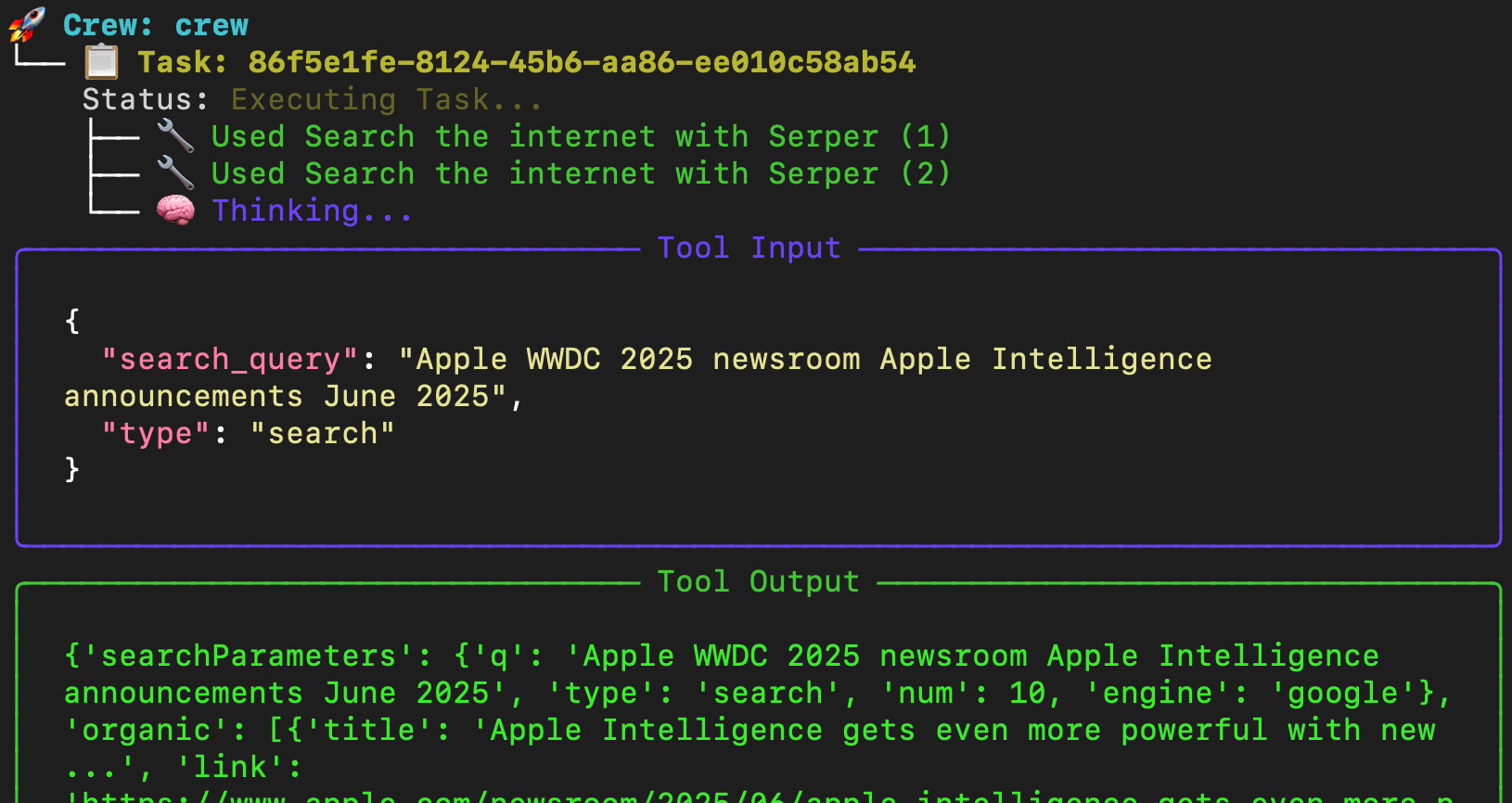
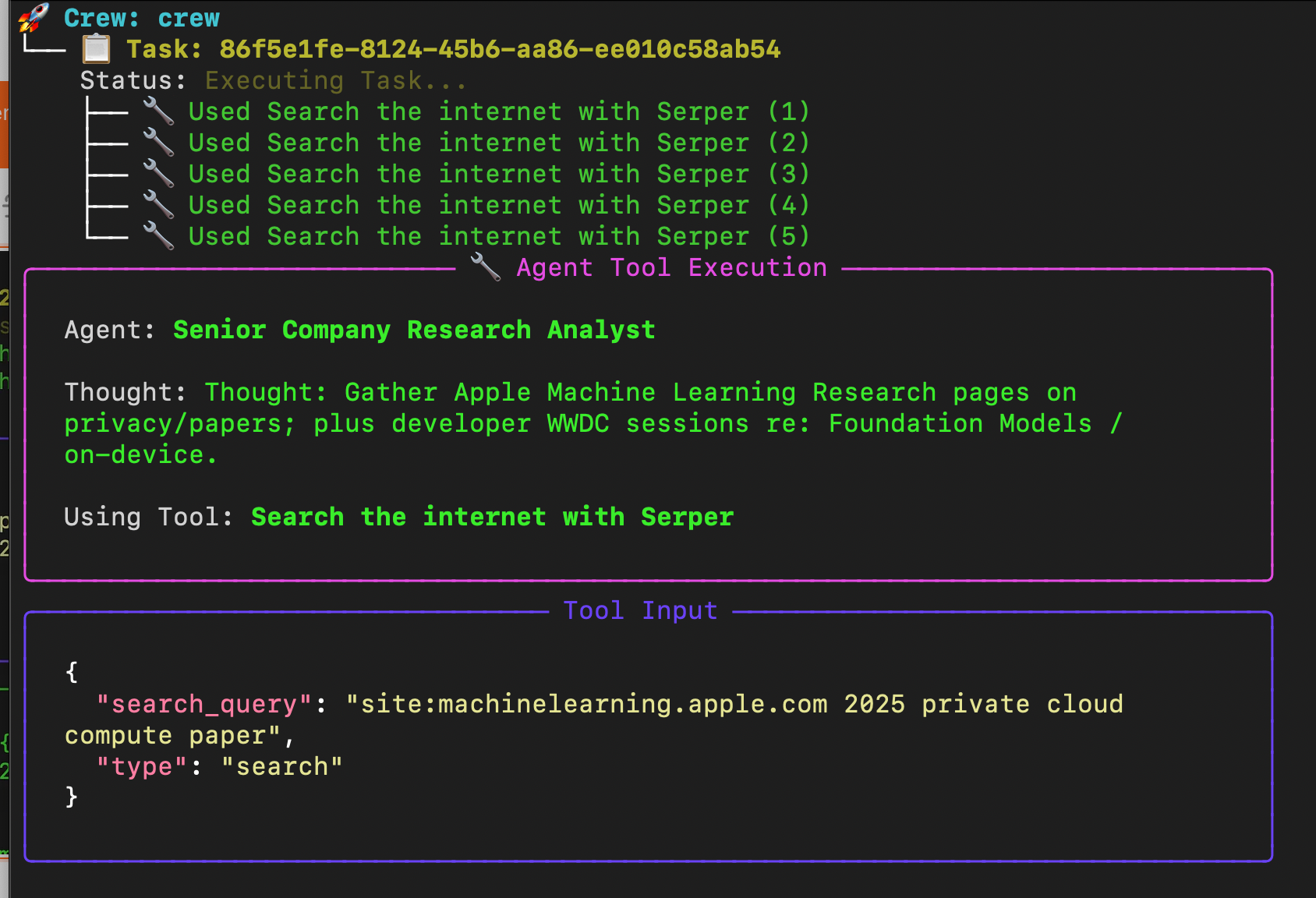
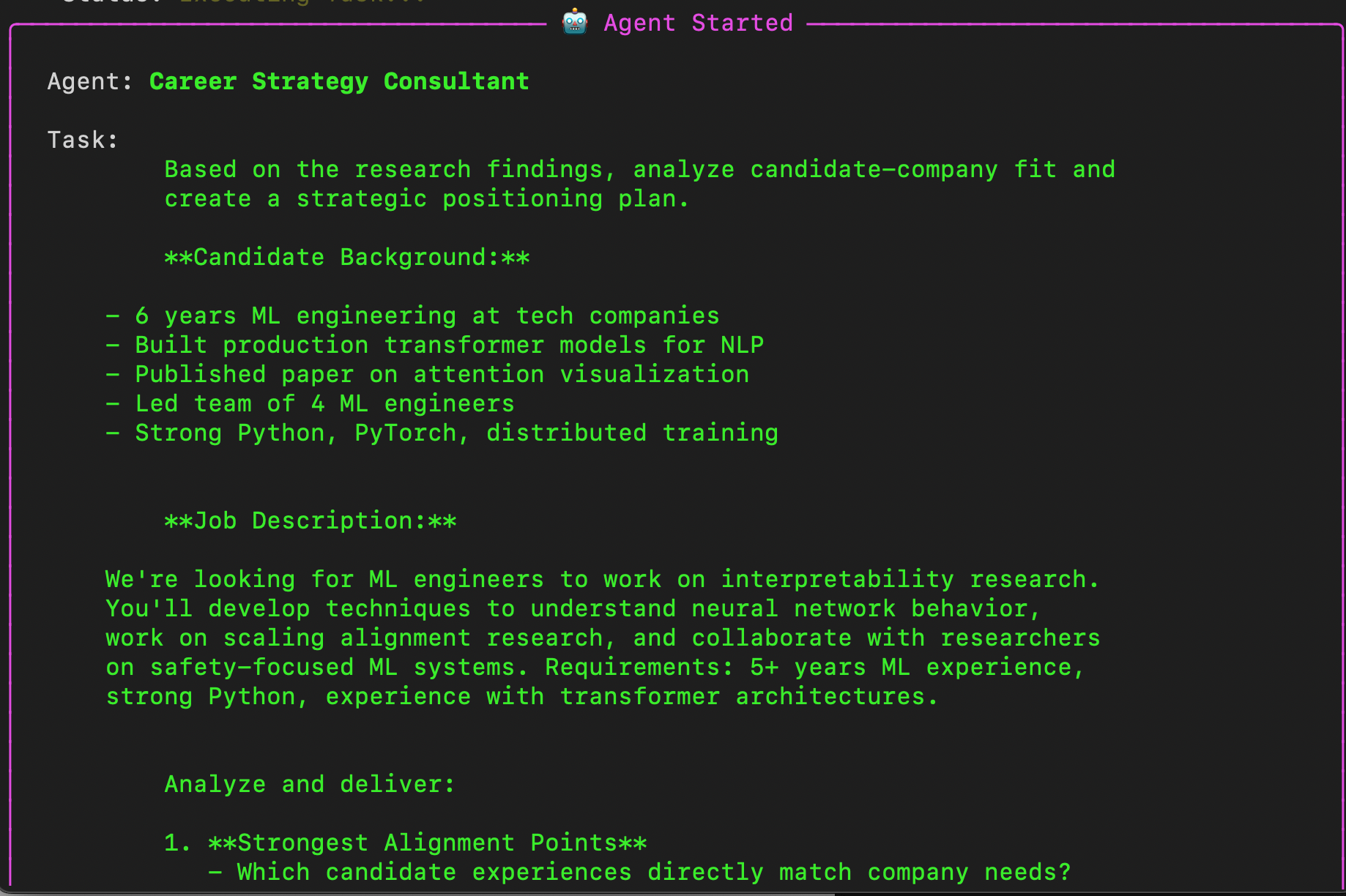
When you run this (execute python3 src/02_interview_prep.py), CrewAI shows agents thinking in real-time:
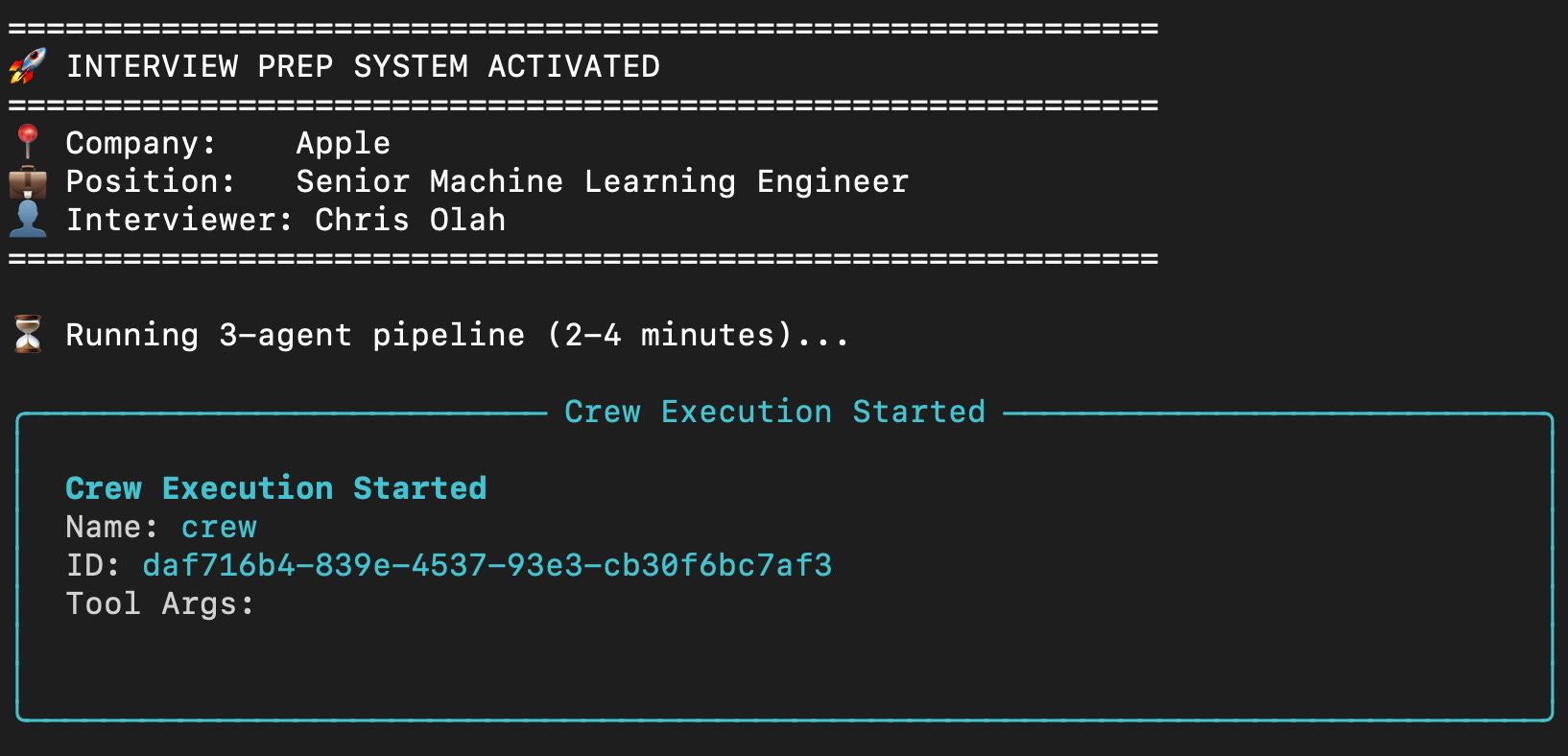
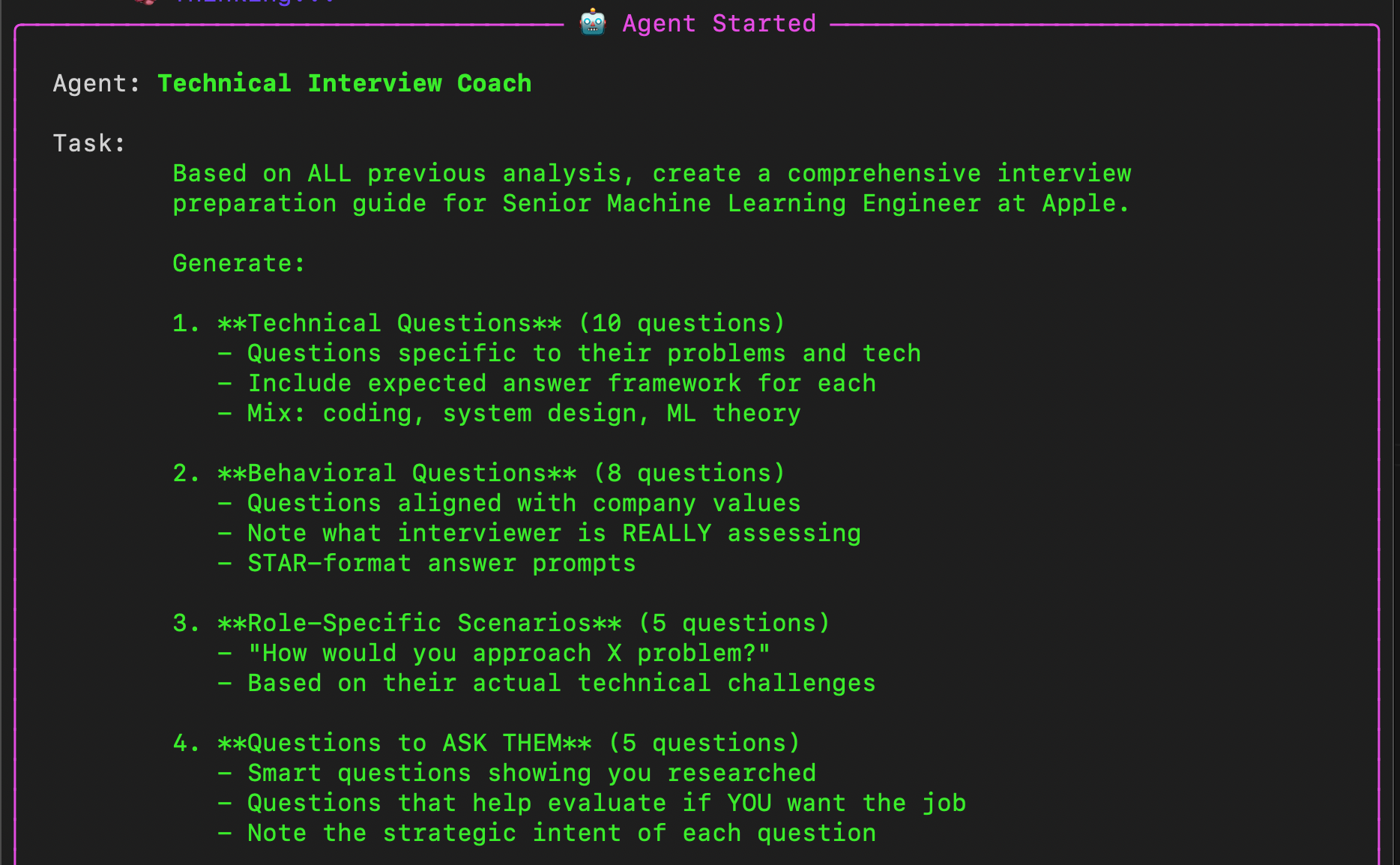
💾 Report saved: outputs/apple_interview_prep_20260207_164615.md
This is the power of multi-agent systems. Each agent has different information, different skills, and they build on each other’s work.
Run It Yourself
Option 1: Google Colab (zero setup): https://github.com/DoraSzasz/ai-agents-bootcamp/blob/main/notebooks/02_interview_prep.ipynb
Option 2: GitHub (full code + more examples)
🔗 github.com/DoraSzasz/ai-agents-bootcamp
The 5 Building Blocks in Action
Remember yesterday’s framework? Here’s how each shows up:
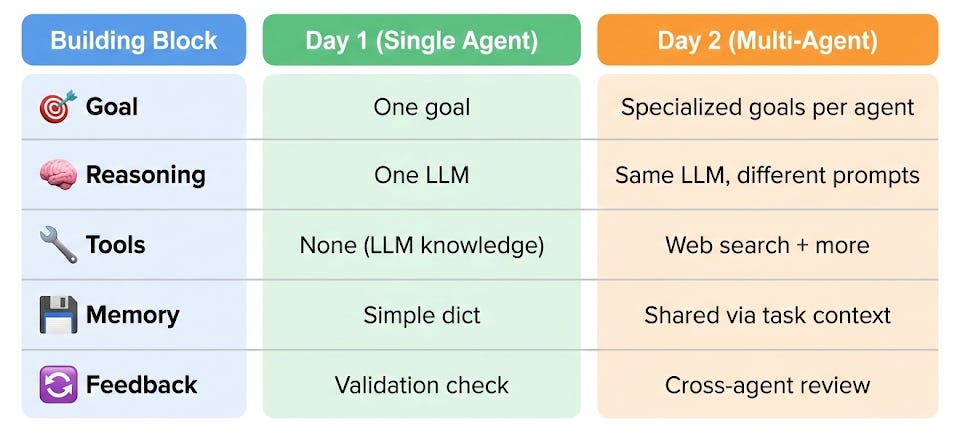
The architecture changed. The fundamentals didn’t.
Make It Your Own
Fork the repo and try these modifications:
Easy:
Change the company and position
Add your real background
Customize the question count
Medium:
Add a 4th agent: “Mock Interviewer” that asks follow-up questions
Add
human_input=Trueto a task for interactive modeExport results to a formatted PDF
Advanced:
Add ScrapeWebsiteTool for deeper research
Build a Streamlit UI around it
Chain this into a “job application tracker” system
Why This Matters for Your Career
Here’s the thing most tutorials won’t tell you:
Building multi-agent systems is a rare skill. Most ML engineers know models. Few know how to orchestrate AI systems that work together.
When you interview, you can now say:
“I’ve built multi-agent orchestration systems using CrewAI. Each agent has specialized capabilities, and they coordinate through a task pipeline with shared context. Here’s an example where I...”
That’s different from “I’ve used ChatGPT.”
Tomorrow: Production Patterns with LangGraph
Day 2 gave you orchestration. Day 3 gives you control.
What happens when agents need to loop?
How do you add human-in-the-loop checkpoints?
When is CrewAI not enough?
We’ll build an interactive interview practice bot that actually drills you on questions and adapts based on your answers.
That’s when agents get seriously powerful.
Go build something.
And comment with what you’re prepping for - I love seeing these in action.
Teodora
Day 2 of the AI Agents series. Subscribe to get Day 3 tomorrow.
GitHub: ai-agents-bootcamp | Coaching: teodora.coach