
Build Your First RAG System: A Complete Practical Guide
From Zero to Production-Ready Retrieval-Augmented Generation

Why RAG is THE Most Important AI Skill Right Now
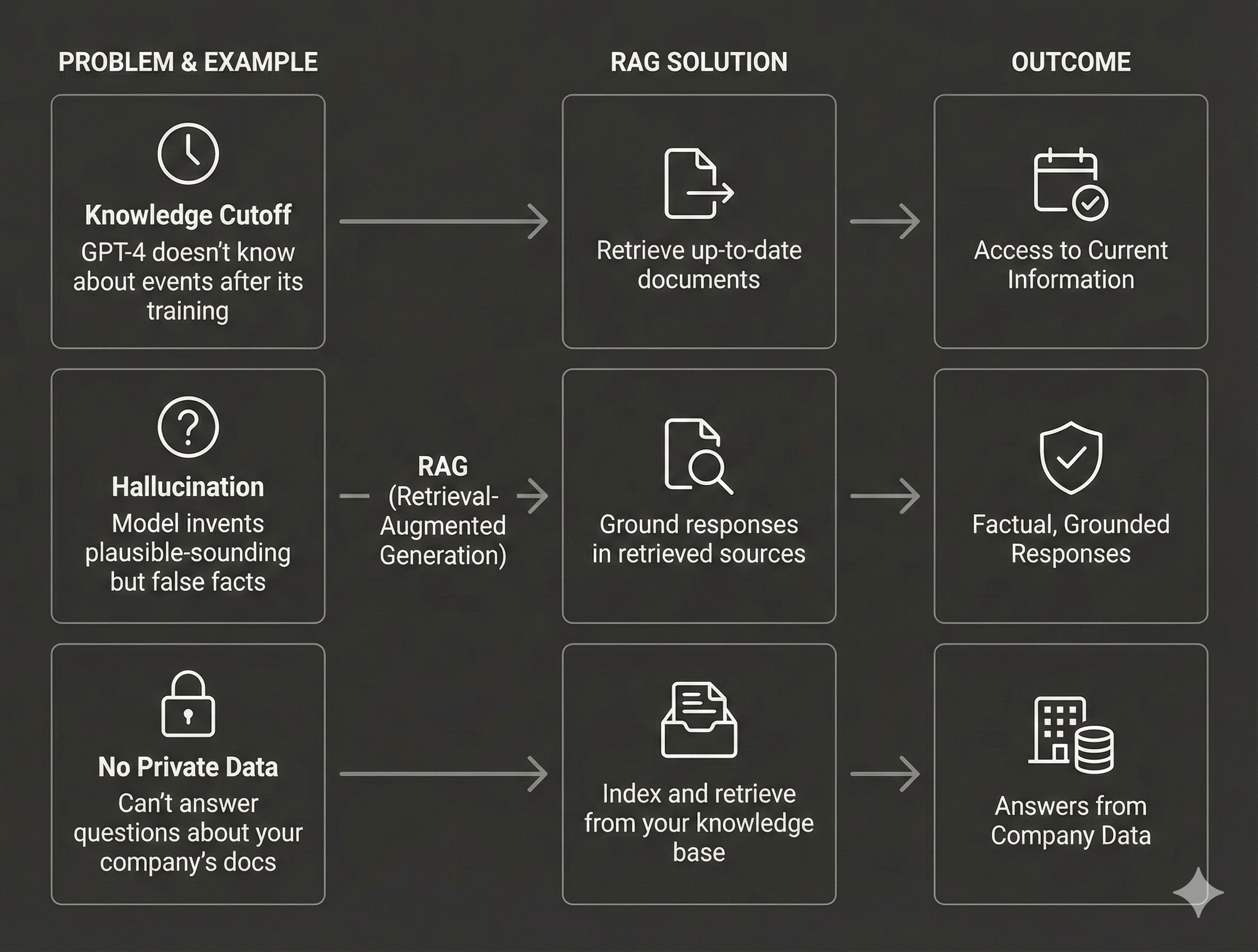
You’ve heard it a hundred times: “ChatGPT makes things up.” And it’s true—Large Language Models hallucinate. They confidently state incorrect facts. They have knowledge cutoffs. They can’t access your company’s private data.
Retrieval-Augmented Generation (RAG) solves all of these problems by grounding LLM responses in your actual data. Instead of relying solely on what the model learned during training, RAG fetches relevant documents from your knowledge base and uses them to generate accurate, sourced responses.
Here’s why this matters for your career:
Every company needs this: From customer support chatbots to legal document analysis, RAG is the #1 requested AI capability in 2025
It’s immediately practical: You can build a working system in hours, not months
It’s interview gold: “Tell me about a RAG system you’ve built” is now a standard ML interview question
It bridges the gap: RAG connects cutting-edge AI with real business value
In this comprehensive guide, I’ll take you from concept to production-ready code. By the end, you’ll have:
A complete understanding of RAG architecture
Working code for each component
Multiple retrieval strategies to choose from
Evaluation techniques to measure quality
Production best practices used by top tech companies
Let’s build.
Part 1: The RAG Architecture Explained
What Problem Does RAG Solve?
Traditional LLMs have three critical limitations:
The RAG Pipeline: Three Simple Steps
Every RAG system follows this exact pattern:
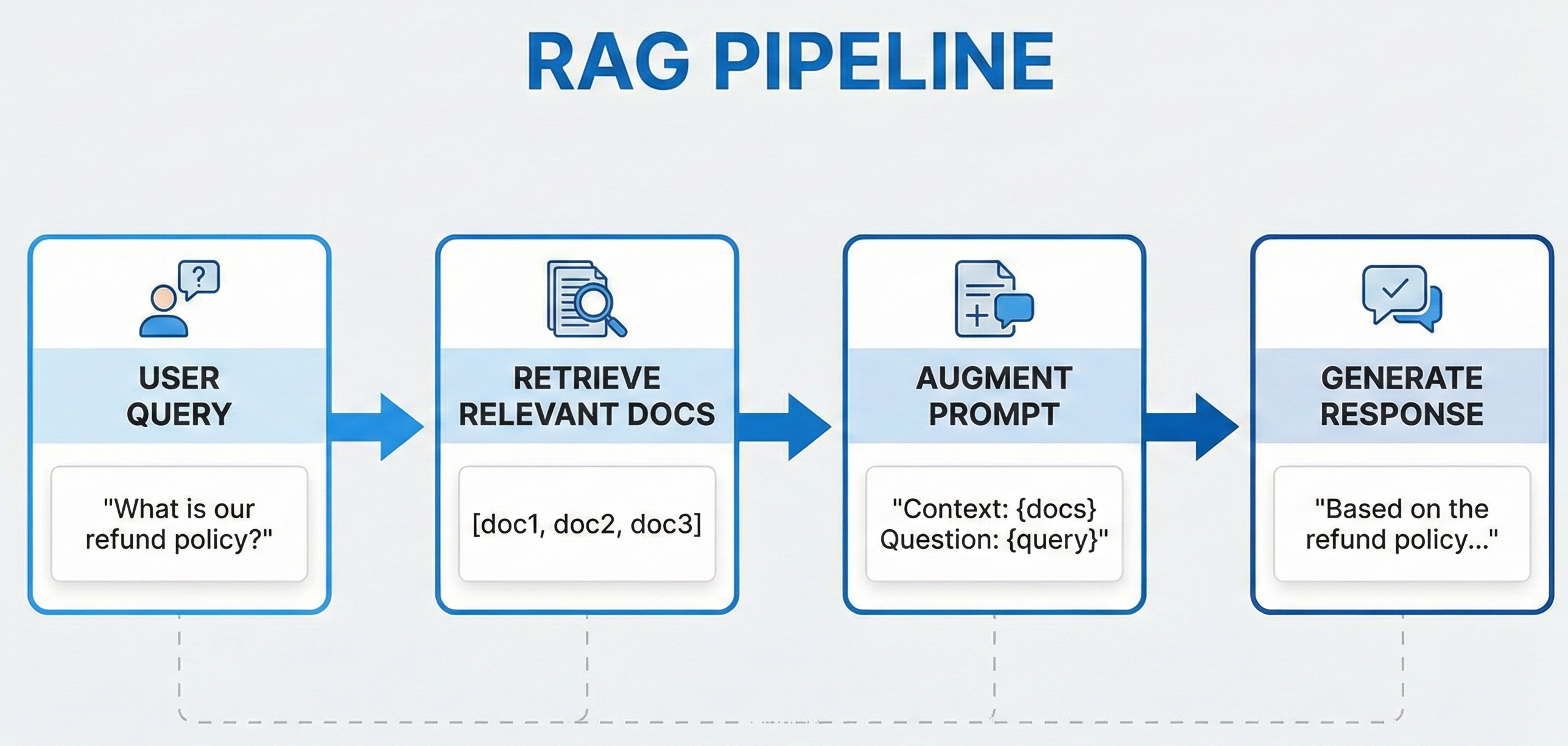
R - Retrieve: Find relevant documents using semantic search
A - Augment: Add retrieved context to the prompt
G - Generate: LLM produces grounded response
The Two Phases of RAG
Phase 1: Indexing (Offline - done once)
Load documents from various sources (PDFs, databases, APIs)
Split into chunks (typically 256-512 tokens)
Generate embeddings for each chunk
Store in a vector database
Phase 2: Query (Online - every user request)
Convert user query to embedding
Find most similar document chunks (semantic search)
Build prompt with retrieved context
Generate response with LLM
Part 2: Building Each Component from Scratch
Component 1: Document Loading & Chunking
The quality of your RAG system depends heavily on how you prepare your documents. Bad chunking = bad retrieval = bad answers.
python
from typing import List, Dict
import re

class Document:
    """Represents a document with content and metadata."""
    def __init__(self, content: str, metadata: Dict = None):
        self.content = content
        self.metadata = metadata or {}

    def __repr__(self):
        return f"Document({len(self.content)} chars, {self.metadata})"


class TextChunker:
    """
    Split documents into overlapping chunks for better retrieval.

    Why chunking matters:
    - LLMs have context limits (can't fit entire documents)
    - Smaller chunks = more precise retrieval
    - Overlap preserves context across chunk boundaries
    """

    def __init__(self, chunk_size: int = 512, chunk_overlap: int = 50):
        self.chunk_size = chunk_size
        self.chunk_overlap = chunk_overlap

    def chunk_document(self, doc: Document) -> List[Document]:
        """Split a document into overlapping chunks."""
        text = doc.content
        chunks = []

        # Split by sentences first for cleaner boundaries
        sentences = re.split(r'(?<=[.!?])\s+', text)

        current_chunk = ""
        current_length = 0

        for sentence in sentences:
            sentence_length = len(sentence.split())

            if current_length + sentence_length > self.chunk_size:
                if current_chunk:
                    chunks.append(Document(
                        content=current_chunk.strip(),
                        metadata={**doc.metadata, 'chunk_index': len(chunks)}
                    ))

                # Start new chunk with overlap from previous
                overlap_text = self._get_overlap(current_chunk)
                current_chunk = overlap_text + sentence
                current_length = len(current_chunk.split())
            else:
                current_chunk += " " + sentence
                current_length += sentence_length

        # Don't forget the last chunk!
        if current_chunk.strip():
            chunks.append(Document(
                content=current_chunk.strip(),
                metadata={**doc.metadata, 'chunk_index': len(chunks)}
            ))

        return chunks

    def _get_overlap(self, text: str) -> str:
        """Get the last N words for overlap."""
        words = text.split()
        overlap_words = words[-self.chunk_overlap:] if len(words) > self.chunk_overlap else words
        return " ".join(overlap_words) + " "